WinDataReflector
Fast File Synchronization and Backup with Visual Comparison
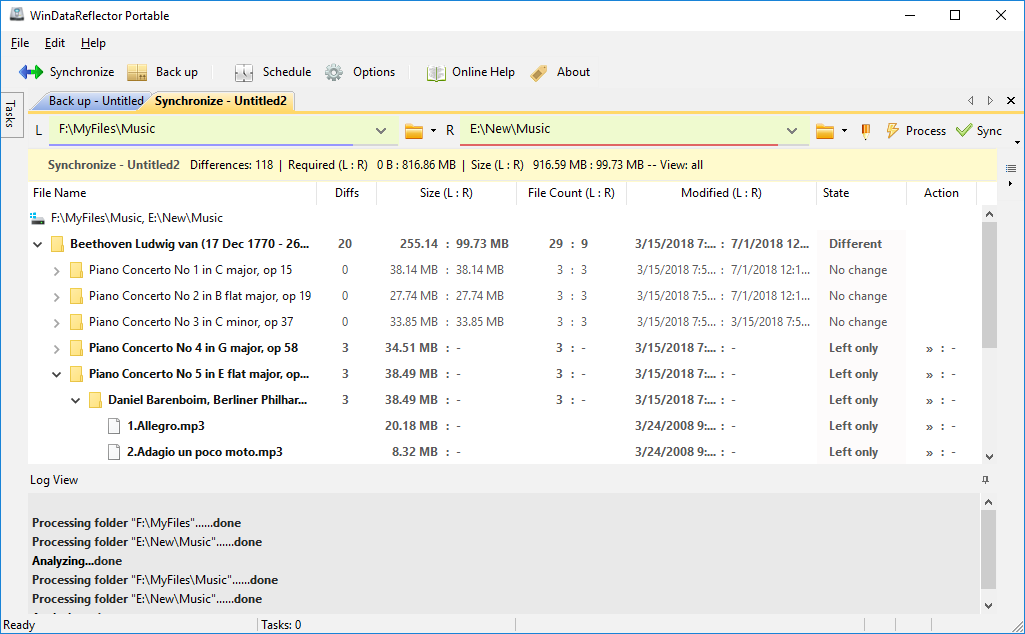
WinDataReflector is a lightweight file synchronization and backup tool that wraps up fast file comparison and transfer algorithms into a simple and clear interface. It offers you visual comparison of files and folders before synchronizing and backing them up, with robust support for two-way synchronization utilizing fully customizable rules.
Cloud & SFTP Support
Synchronize files and data seamlessly to Google Drive, DropBox, OneDrive, FTP, and SFTP. Sync between local folders, network shares, or directly between two cloud folders.
Two-Way Synchronization
Changes made to either the left or right folder are accurately mirrored to the other, keeping them identical. You can also customize rules to only propagate specific changes.
Built-In Scheduler
Automate your workflow by scheduling any task to run automatically at certain times of the day, days of the week, or at specific recurring intervals.
Auto-Sync External Drives
Recognize USB flash drives and external hard disks by volume label. Automatically start backup and sync tasks whenever a recognized drive is connected.
Real-Time Synchronization
Always keep files updated with real-time synchronization capabilities. WinDataReflector can instantly replicate any changes made in synchronized folders.
Multiple Tabbed Tasks
View, manage, and run several synchronization tasks simultaneously within an organized tabbed interface.
Advanced Regex Filtering
Exclude directories, specific file names, extensions, or utilize powerful Regular Expressions to finely tune your exclusion lists.
NTFS Permissions Support
Ensure security continuity by copying NTFS file security information and access rights (ACLs/DACLs) directly to destination files and folders.
Safe Delete Options
To avoid accidental data loss, the default setting never deletes files. You can customize this to move deleted files to the Recycle Bin or permanently delete them.
Pre-Replacement Archiving
Add an extra layer of safety by having WinDataReflector create backup copies of older files right before they are replaced with newer versions.
CRC Comparison
In addition to standard timestamp and size comparisons, utilize CRC (Cyclic Redundancy Check) checksums to mathematically verify file integrity after copying.
Pre/Post Task Commands
Execute custom commands before and after tasks. Launch specific programs with arguments or run executable batch files to automate complex workflows.
ZIP Compression Support
Backup files into ZIP archives in two modes: overwrite existing archives or automatically generate new timestamped archives for every successful backup run.